PF27 Controls (PC, Mobile, Controller)
High-level input map for Prestige Futbol — always confirm binds in-game.
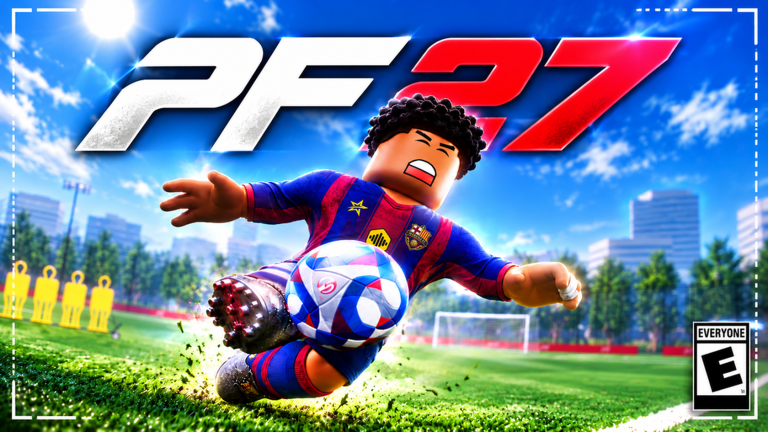
PF27 supports PC, mobile, and controller in the same football sandbox. Because the experience is still in early development, exact key labels can change between updates. Treat this page as a conceptual map of what you need to master — movement, on-ball dribbling, pass and shoot timing, slide tackling, and goalkeeper actions — then open the in-game settings menu and verify every bind on your device before a competitive lobby.
If you are brand new, finish the Getting Started checklist first, then return here with My Pitch open so you can test each action safely.
Universal control ideas (all platforms)
Regardless of device, PF27 asks you to blend these layers:
- Locomotion — move your avatar around the pitch and adjust camera or facing so you see lanes.
- Ball relationship — decide whether you are receiving, shielding, carrying, or releasing the ball.
- Action timing — tap versus hold often separates a soft pass from a driven ball, or a placed finish from a power smash.
- Defensive commitment — choose jockey pressure versus a slide tackle that can win the ball or leave you on the ground.
- Role switch — outfield habits differ from full goalkeeper gameplay; GK has its own dive, claim, and positioning vocabulary.
When something feels wrong after a patch, assume the bind or timing window moved slightly. Re-open settings, rebind if needed, and re-test on My Pitch instead of arguing in a public match.
PC (keyboard and mouse)
On PC you typically combine WASD-style movement with mouse aim for shot and pass direction. Expect dedicated inputs (or modifiers) for sprint, skill-move triggers, pass, shoot, slide tackle, and jump or aerial challenges. Mouse look helps you shape Finesse and Trivela attempts toward far corners; practise aiming at rebound walls so you are not discovering mouse sensitivity mid-match.
PC practice routine
- Walk with the ball, then jog, then sprint — learn how much the ball separates from your feet at each speed.
- Charge a pass at short, medium, and long power into the rebound wall; watch first-touch returns.
- Charge shots toward specific net zones (near post, far post, upper third) using the finishing ideas in How to Score.
- Attempt one controlled slide tackle on an empty pitch so you learn recovery time when you miss.
Do not memorise a YouTube overlay as gospel. Overlay creators film on one patch; your settings panel is the source of truth.
Mobile (touch)
Mobile PF27 uses on-screen sticks and action buttons. Thumb real estate is limited, so customise button scale and opacity if the game offers those options. Priority actions — shoot, pass, sprint, and tackle — should sit where you never cover the ball with your fingers. Skill moves that need a second gesture are harder on touch; start with simple direction changes and feints before chaining advanced animations from the Skill Moves guide.
Mobile tips
- Play in landscape with a stable grip; clutch grips that cover half the pitch camera will cost you goals.
- Prefer shorter passes until your pass button timing is consistent.
- For finishing, stop sprinting one beat before you release the shot so the ball is under control.
- If latency feels high, switch regional server as described in Getting Started — mobile networks amplify physics complaints.
Controller
Controller players usually get the best blend of movement precision and simultaneous triggers. Expect stick movement plus face-button or bumper actions for pass, shoot, skill, and tackle. Trigger pressure (if used) often maps cleanly to pass and shot power — spend time learning the half-press versus full-press feel on My Pitch.
Controller tips
- Lower stick deadzones slightly if micro-adjustments for GK positioning feel sluggish (only if the game exposes that setting).
- Bind or remember a comfortable skill-move input so you can feint without looking down at the pad.
- Practise slide tackle as a committed choice, not a panic mash — mistimed slides are free counters for attackers.
- When playing GK, keep both thumbs ready: one for positioning, one for dive direction. Details live in the Goalkeeper guide.
Movement and dribbling concepts
Fluid dribbling is a headline feature. Good movement is not constant sprinting. Use walk and jog to keep the ball close, then explode into space after a feint. Close control sets up every skill move that matters in the early meta — see also the Skill Moves Tier List for which tools create space versus which are highlight-only.
Shielding and body orientation matter: face the direction you want the next touch to go before you trigger a skill. If you spin the camera wildly while mashing skills, defenders will read you even when the animation looks flashy.
Pass and shoot concepts
Passing and shooting share a “charge and release” mental model on many Roblox football titles, and PF27’s advanced shot list (Finesse, Trivela, Knuckleball, Volleys, Headers, Bicycle Kicks) rewards intentional choice. Before you invent fancy finishes:
- Pass early to moving teammates rather than holding until you are surrounded.
- Shoot when you have an angle or a cutback — not only when you are frustrated.
- Learn one placement shot (often Finesse) and one power/tools shot before you chase Knuckleball highlights.
Rankings for match situations sit on the Shooting Tier List. Mechanical how-to detail sits on How to Score.
Slide tackles
Slide tackles are powerful and risky. Use them when you are already goal-side or when the attacker’s touch is heavy. Sliding from behind at full sprint is how you concede counters and free looks at goal. After any slide — win or miss — practise the get-up and recover sprint so you are not a spectator for three seconds.
Combine jockey pressure (stay on your feet, mirror the attacker) with the occasional well-timed slide. Pure slide spam is easy to bait once opponents learn your timing.
Goalkeeper inputs at a high level
Full GK gameplay means you are not an automated net. Expect separate logic for:
- Positioning — shuffle along the goal line and off your line for 1v1s.
- Diving — commit to a side and height based on the shooter’s plant and angle.
- Claiming — come for crosses when you can catch or punch cleanly.
- Distribution — throw or kick to start attacks after a save.
Because binds may change, learn the jobs first, then map buttons in settings. Deep habits, 1v1 angles, and cross claims are covered in Goalkeeper.
Settings hygiene after every update
PF27’s early-development warning is real. After patches:
- Open controls settings and screenshot or note your binds.
- Test pass, shoot, skill, slide, and GK dive on My Pitch for two minutes.
- Skim the Updates Hub for designer notes that mention input or physics.
- Only then join a regional public match.
Linking your practice plan
- New account flow: Getting Started
- Feints and 1v1s: Skill Moves
- Finishing types: How to Score
- Gloves: Goalkeeper
- Meta context: Tier List Hub
Master the concepts on this page, verify binds yourself, and you will adapt faster than players who only copy a static key list from an old clip.
Frequently Asked Questions
Quick answers for PF27 Prestige Futbol players.
Are PF27 keybinds the same on every update?
Not guaranteed. The game is in early development, so always confirm movement, pass, shoot, skill, tackle, and GK binds in the in-game settings menu.
Which platform is best for PF27?
Controller and PC usually offer the most precise mix of movement and shot aiming; mobile is fully supported but benefits from careful button layout and a strong connection.
Should I learn slide tackle first?
Learn jockey pressure and positioning first. Add slide tackle once you understand recovery time, or you will gift counters.
Where do I practise controls safely?
Use My Pitch and rebound walls from the Getting Started flow before testing new binds in public regional servers.
Where are skill-move and GK details?
See the Skill Moves guide for feints and close control, and the Goalkeeper guide for diving, claims, and 1v1s.